
SHARED SESSION ROSTER

R6 Lobby

Who’s in tonight?
And when?

A shared session roster for a familiar group of teammates. See attendance and arrival times together, without piecing plans together from a chat history.

Self-hosted web app · Chinese app interface · PWA support

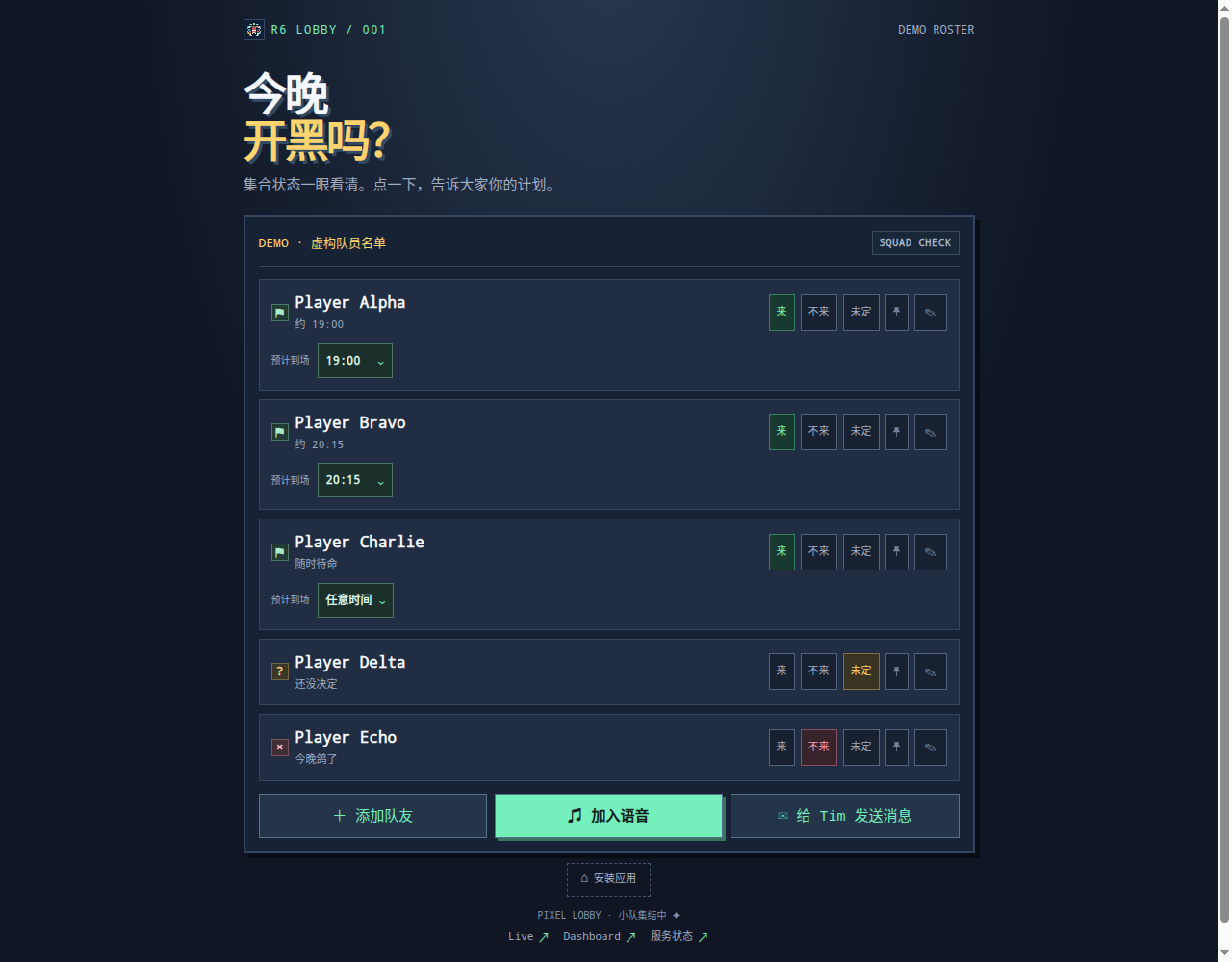
R6 Lobby desktop interface

Tonight’s plans,
at a glance.

Yes, no and maybe each have a fixed symbol, not just a color. Choose “any time” when you are ready whenever the group is. A separate shared game-status switch shows whether anyone is playing now and resets to “No” with the roster every day.

Arrival times cover 09:00–23:00 in 15-minute slots. Pick an hour, then a quarter-hour, rather than searching one long menu. The group’s usual evening hours, 17:00–23:00, are prioritized and highlighted.
Keep familiar teammates
in view.

The browser-local pin sits after the status buttons and before the pencil. It changes only your own order, not anyone else’s. Longer rosters show the first five teammates, with the rest available on expansion.

Comfortable on a phone.

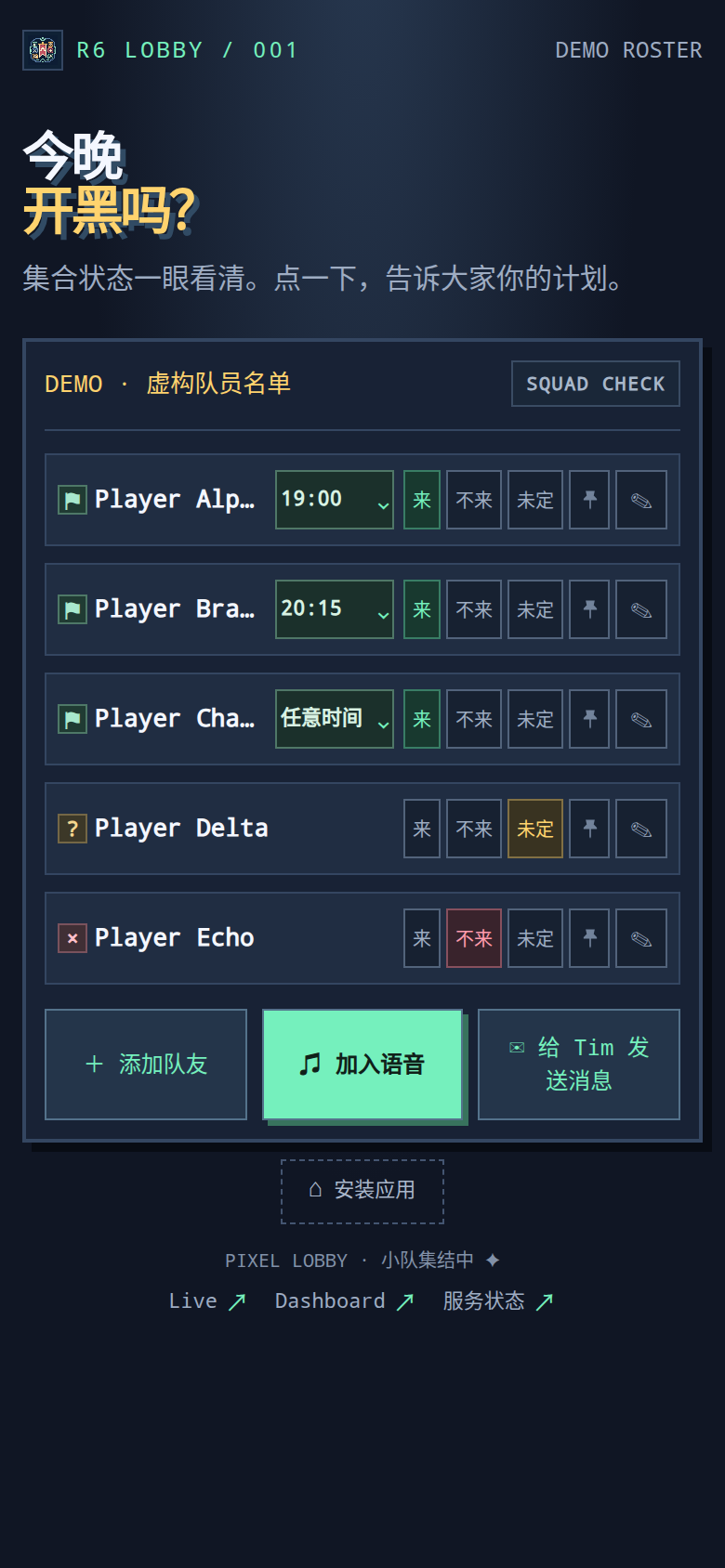
On a phone, name, arrival time and status share one compact row. Frequent actions stay visible; “Join voice” is the one prominent primary button.

Less frequent rename and delete actions live in the pencil dialog, with a second confirmation for deletion. PWA support lets you add it to your home screen. The app itself is in Chinese.

R6 Lobby mobile interface

Simple sharing.
Explicit boundaries.

A Python standard-library backend stores the shared roster on the server. An optional server-side ntfy relay can forward notifications.

There are no accounts or authentication. Anonymous collaborators who can reach an instance can edit the entire roster; concurrent updates use last-write-wins. It suits groups that accept this collaboration model, not protected private access.

Source on GitHub ↗